Do my customers need an account or password?
No. Estimates and invoices are secure links. Customers open them on any device, review, sign, and pay without creating anything.
Customer Portal
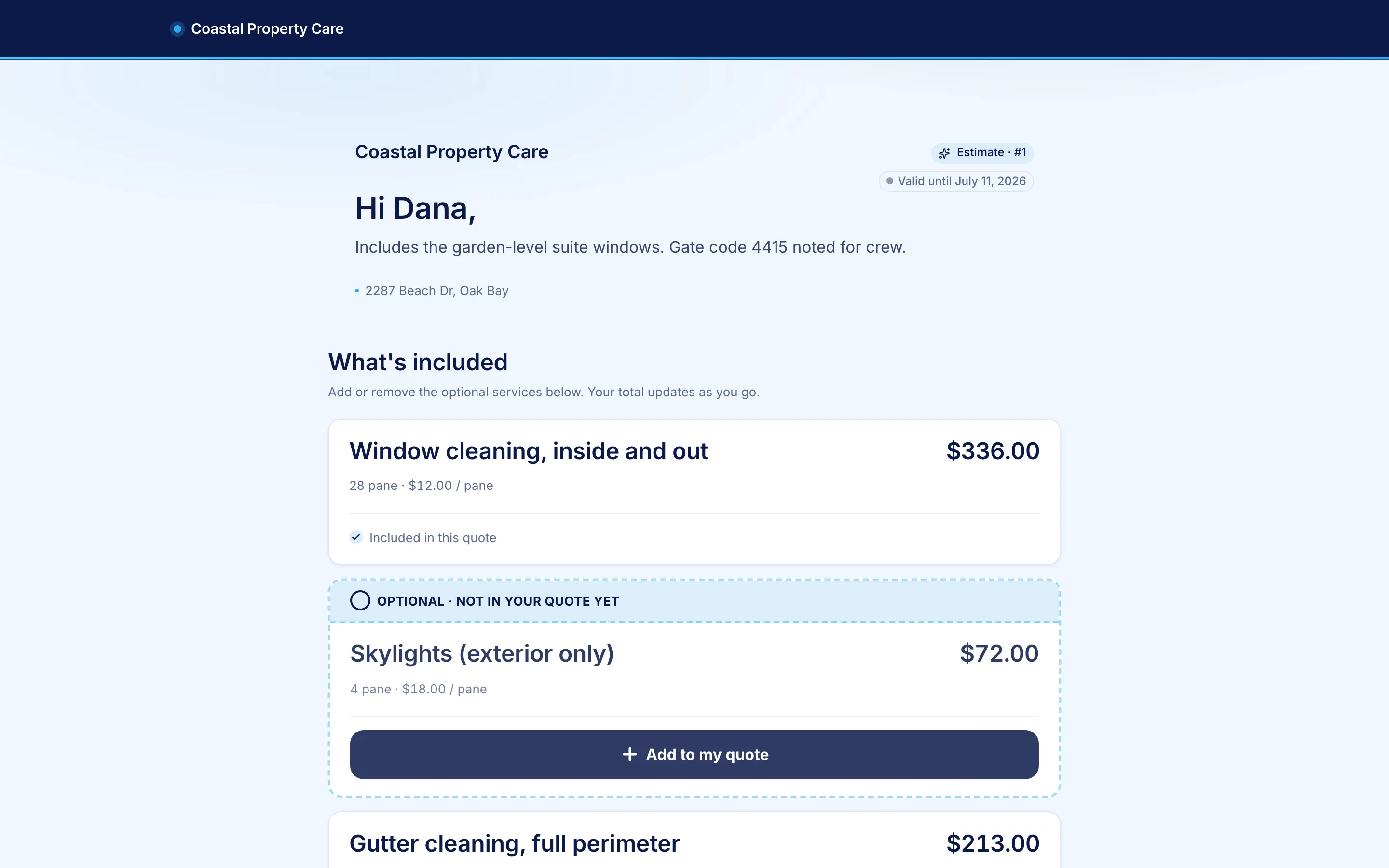
A PDF asks the customer to say yes or no. Your portal lets them say "yes, and add the gutters, quarterly." Options toggle, frequencies switch, packages compare, and the price recomputes live, before they sign and pay on the same page.
The buying experience
They open it
The estimate arrives by email and text as a branded link. It loads like a modern checkout: your logo, the work described plainly, photos where they help. You see the moment it's viewed.
They shape it
The customer switches the gutter add-on on, tries quarterly instead of one-time, compares Better against Best. Every toggle recomputes the total live, and discounts you set up fire on their choices, visible as savings.
They commit
One tap to accept. You decide what acceptance requires per estimate: nothing, a signature, a deposit (fixed or a percentage, recalculated live), or a card saved for later. Terms snapshot with the acceptance.
They pay
Deposits and invoices settle straight to your Stripe account, with zero ShineCRM markup on any paid plan, and the payment reconciles to the invoice, the job, and the customer. Receipts stay available on the same portal.
One price, everywhere
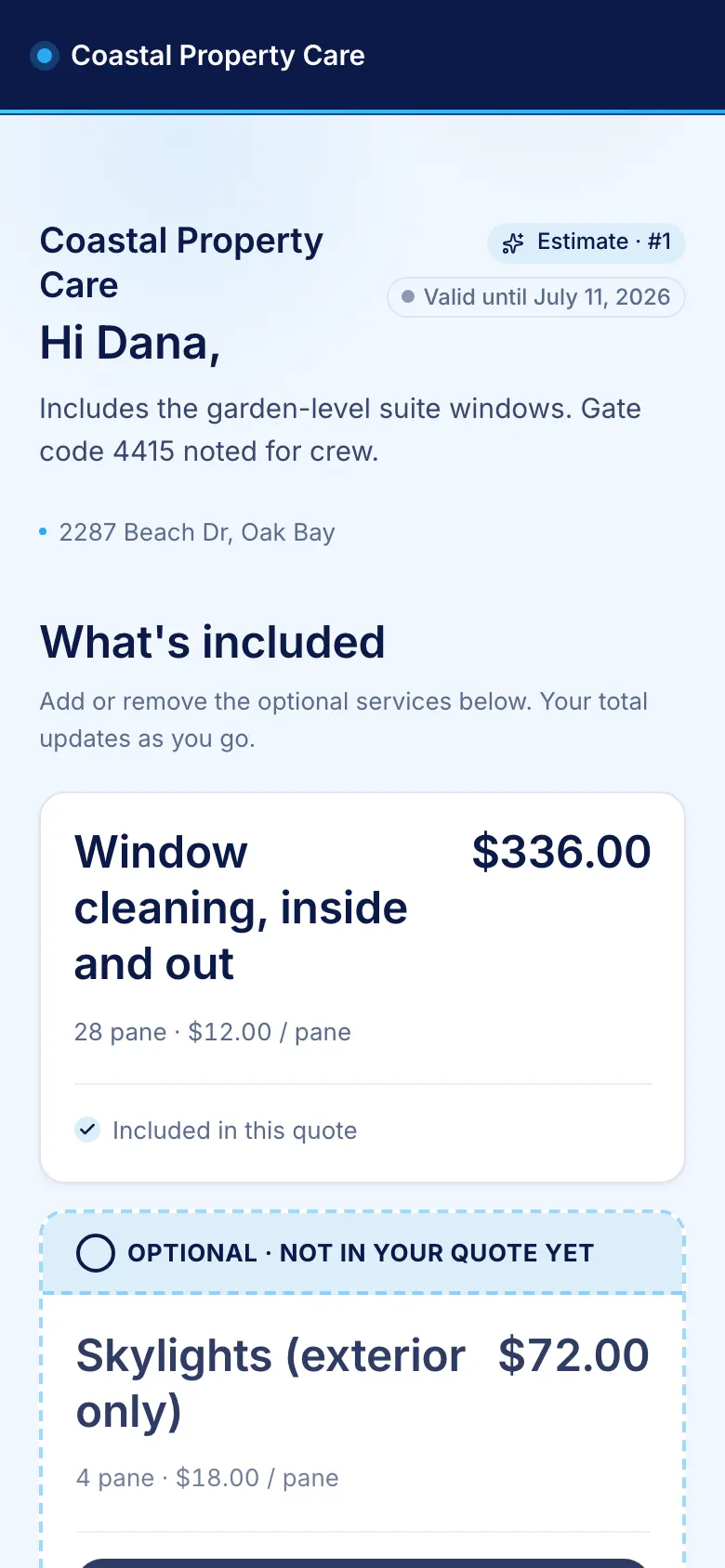
The portal, your builder preview, and the server that locks in the accepted total all run one shared pricing engine, held in agreement by automated tests. Toggle-happy customers can rebuild the quote twelve times on their phone; the math never drifts from what lands on your invoice.
Most of it happens on phones, so the portal is built for thumbs: readable line items, frequency pills, and a sticky accept bar that follows them down the page.
Frequently asked
No. Estimates and invoices are secure links. Customers open them on any device, review, sign, and pay without creating anything.
Whatever you allow, per line: toggle optional add-ons on or off, choose between the service frequencies you offered (with each frequency's own price), and pick a package tier on good/better/best quotes. The total, the discounts, and the taxes recompute live with every change.
Yes, to the cent. The portal, your builder preview, and the server that freezes the accepted total all run the exact same pricing code, and automated tests hold the three in agreement. What the customer accepted is what lands on the job and the invoice.
Online payments run through Stripe Checkout on your own Stripe account: estimate deposits, card on file at acceptance, and invoice payments, with receipts they can view any time. On paid plans, Square Tap to Pay closes the job at the door from the mobile app.
Yes. Your logo, your business name, and your contact details, on your own subdomain (yourbusiness.shinecx.com). Your terms of service can be required reading before acceptance, snapshotted with the signature.
Customer Portal
Your branding, your subdomain, your prices, one shared source of truth.
Start free