What payment processors does ShineCRM support?
Stripe handles online payments, deposits, and saved cards. Paid plans also connect Square for in-person Tap to Pay in the mobile app. Each processor sends payouts to your own bank account.
Payments
Most field service tools white-label Stripe, add a percentage on top, and call it a feature. On any paid plan we connect you directly to the payment processors your customers already trust and charge exactly what they charge. Nothing more. Upgrading from Free removes ShineCRM's 0.4% fee on Stripe card payments, so every Stripe card payment costs 0.4% less.
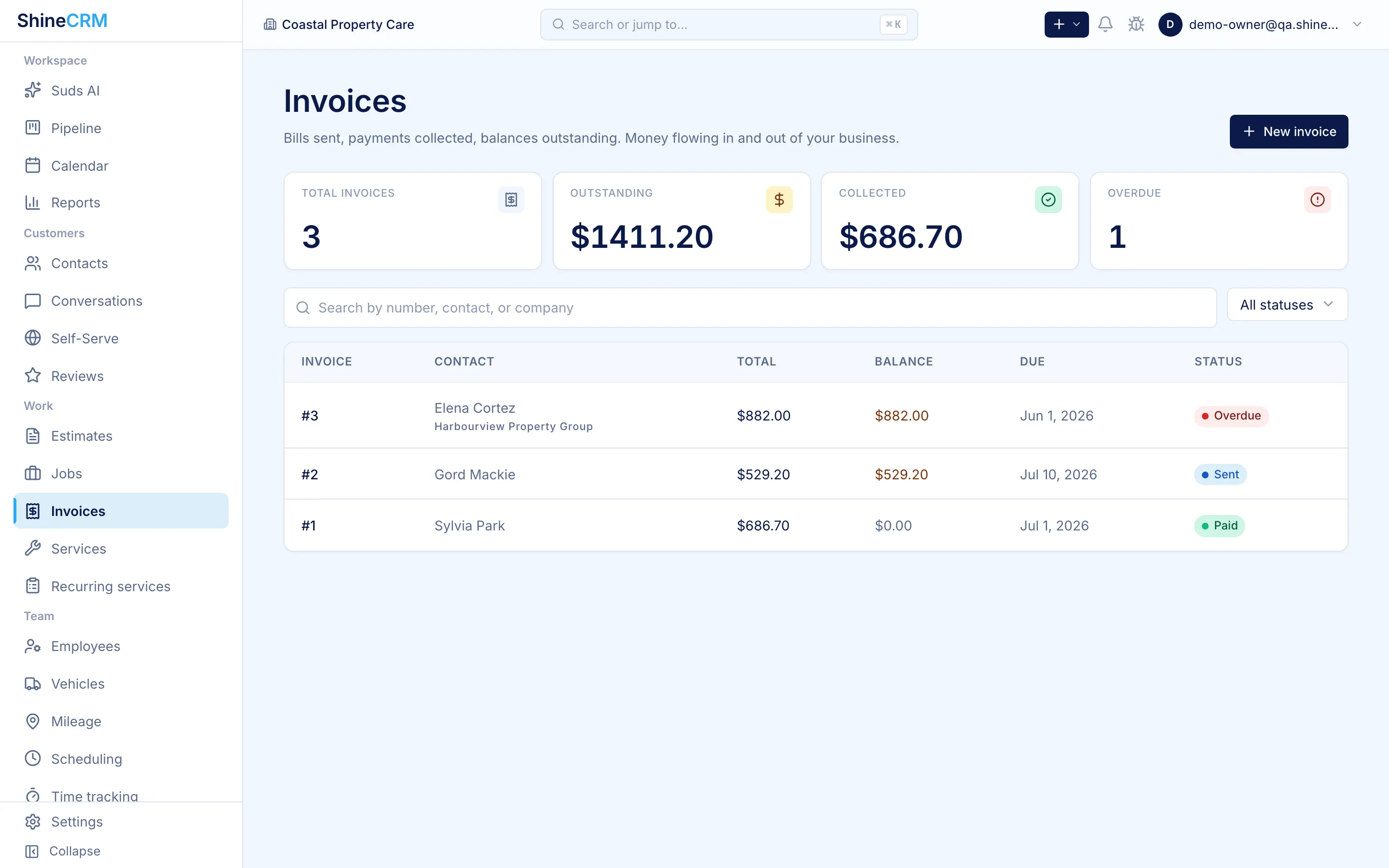
Paid, sent, overdue, at a glance. The list is the morning coffee read: who owes what, and what needs a nudge.
Every payment ties back to its invoice, its job, and its customer. Processor fees are logged per transaction, ready for the bookkeeper as a CSV.
Online and saved-card payments run through your own Stripe account. Paid plans add Square Tap to Pay in person, with zero ShineCRM markup on either rail.
$0.00
Why paid plans take nothing
Some CRMs tack their own percentage onto card payments you're already paying Stripe to process. They add nothing to the transaction. ShineCRM was built by an operator who refused to keep paying that toll: on every paid plan we make money on the subscription, and your payments stay between you and your processor. ShineCRM's 0.4% fee on Stripe card payments applies on Free only, so upgrading makes those Stripe payments 0.4% cheaper.
Direct integration
Online customers use Stripe Checkout on your own Stripe account. At the job site, paid plans let your crew take a contactless card payment through Square Tap to Pay in the mobile app.
You own the account
Connect your own Stripe account for online payments. On a paid plan, connect your own Square account for Tap to Pay. Each processor manages its own payouts and account records.
In person, at the door
On paid plans, your crew can take a contactless card payment at the door from the mobile app. The payment runs through your connected Square account.
Branded invoices
For card not present, a branded invoice powered by Stripe. Your logo, your colors, a payment page customers already trust. They click pay, you get paid.
Card on file
Toggle it on per estimate and the customer saves a card before they can sign. No more chasing payment after the job is done. No more clients who accept the quote and ghost on the deposit.
Step 01
Toggle the requirement
Turn on "card on file required" when you send the estimate.
Step 02
Customer saves a card
They enter card details in Stripe's secure checkout.
Step 03
Charge on schedule
Run deposits, milestones, or final payment from the card you already have.
Processor fees are logged against their transactions. Pull a CSV at tax time and hand it to your bookkeeper. No spreadsheets, no surprise gaps.
Frequently asked
Stripe handles online payments, deposits, and saved cards. Paid plans also connect Square for in-person Tap to Pay in the mobile app. Each processor sends payouts to your own bank account.
Yes. Estimates can require a saved card before the customer signs. Once approved, deposits charge automatically and the final invoice charges against the saved card when the job completes, with no chasing.
Paid plans add no ShineCRM platform fee. You pay Stripe or Square's standard processing rates directly. Free carries a 0.4% ShineCRM fee on Stripe card payments, so paid plans process those Stripe payments 0.4% cheaper. Square in-person payments carry no ShineCRM platform fee.
Every payment is reconciled to the estimate or invoice that triggered it, and the job that generated the invoice. You can see the full money trail (estimate signed, deposit charged, job completed, final charge) on a single customer profile.
Stop paying for someone else's markup
On any paid plan your customers' payments stay between you and your processor, with no ShineCRM markup, which makes every Stripe card payment 0.4% cheaper than on Free. Free gets you started for nothing and carries that 0.4% fee until you upgrade.
Start free